AI Operations Workspace
Turn messy incoming submissions into a reviewable case queue. Values are extracted and cited, risks are flagged, and a person still makes every decision that matters.
Review queue
Cooling unit inspection with damaged intake panel
Two documents quote different reference numbers
Photo-only submission with no readable detail
What it changes for the business
Less manual reading
Photos, documents, and written notes arrive as a structured case with the important values already pulled out and labelled.
Faster triage
Urgent, unassigned, and low-confidence work is surfaced first, so reviewers spend their time where a decision is actually needed.
Fewer bad approvals
Missing, conflicting, and untrustworthy details are called out before anyone approves, rejects, or replies to a submitter.
A defensible record
Every correction, assignment, information request, and decision is written into the case history with who did it and when.
How a case moves through the workspace
A case arrives
Someone submits an inspection, a document, or a compliance check, together with the supporting files and notes.
It is read and structured
The submission is turned into labelled values with a confidence indicator, plus warnings for anything missing, conflicting, or suspicious.
A reviewer verifies it
The reviewer checks each value against the cited source text, corrects anything wrong, and assigns or routes the case where it belongs.
A decision is recorded
Approve, reject, or ask the submitter for more information. The outcome, the reasoning, and the reviewer are written into the case history.
What it looks like
Captured from the running web workspace and the Android field app, on fictional sample cases.
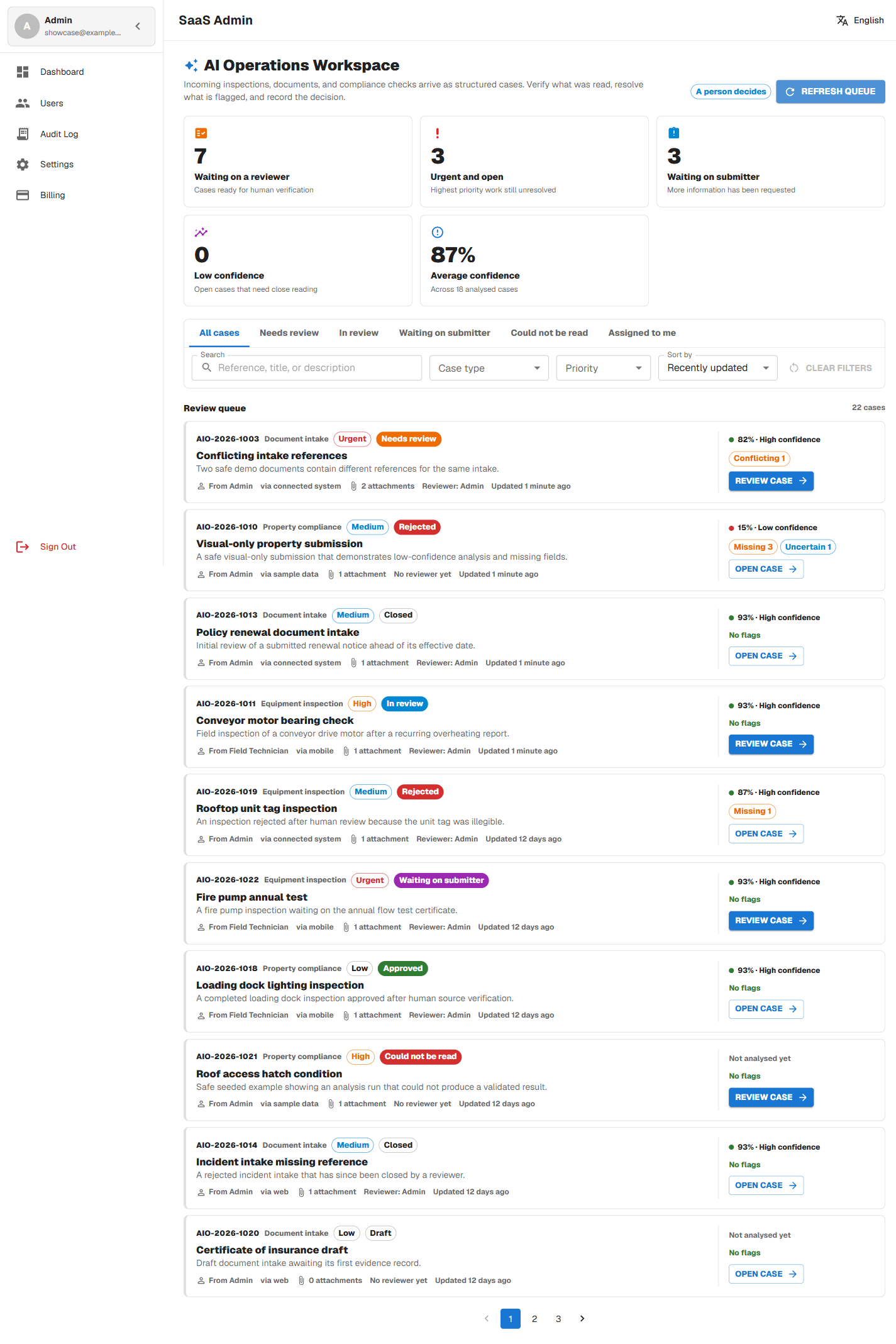
The review queue
Live counts for what is waiting, what is urgent, and what needs a closer read, with per-case confidence and flags.
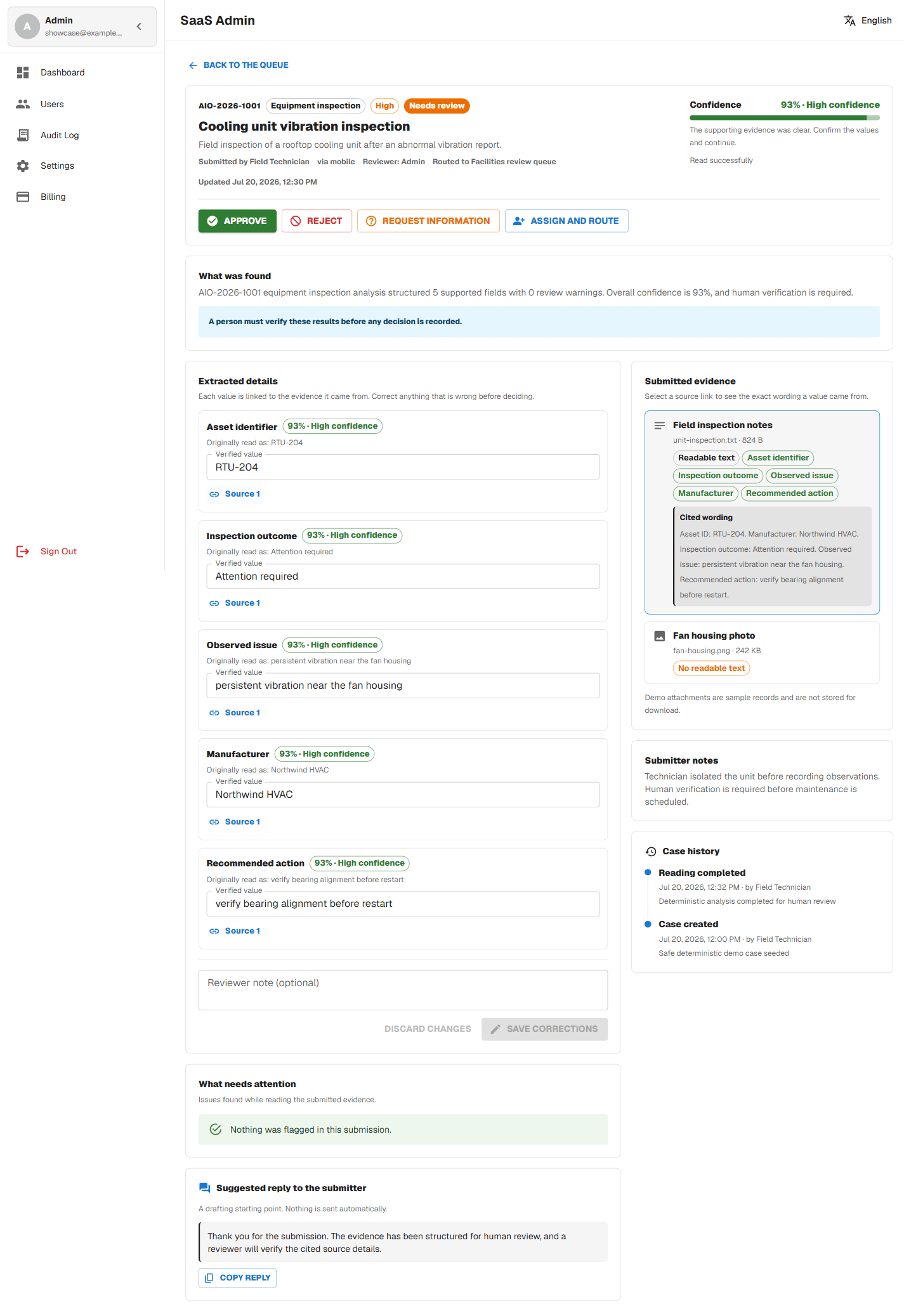
Verifying a case
Each extracted value carries its confidence and links to the exact wording in the submitted evidence.
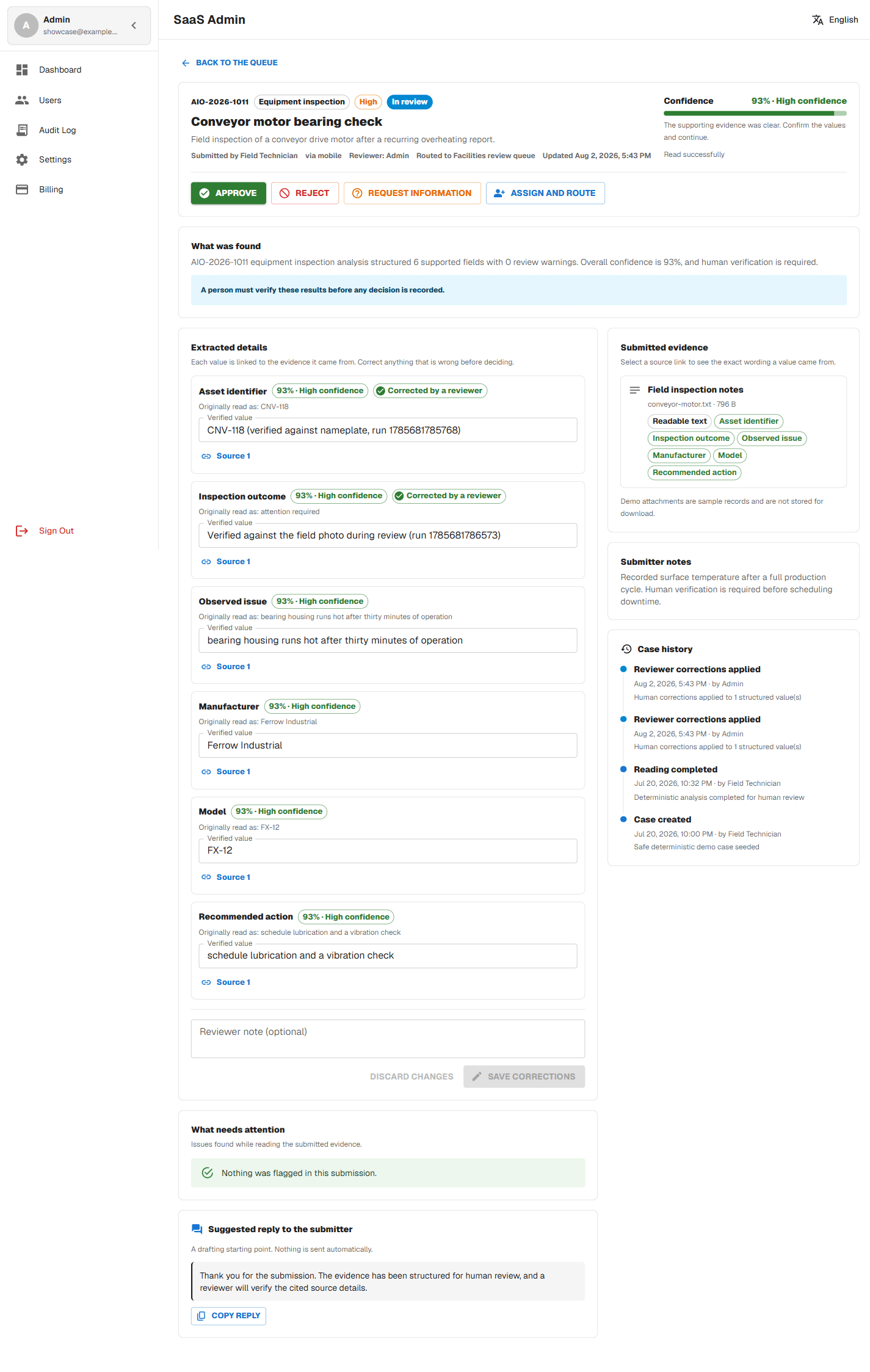
Corrections that stick
Two reviewers can correct different fields on the same case and both corrections survive, field by field.
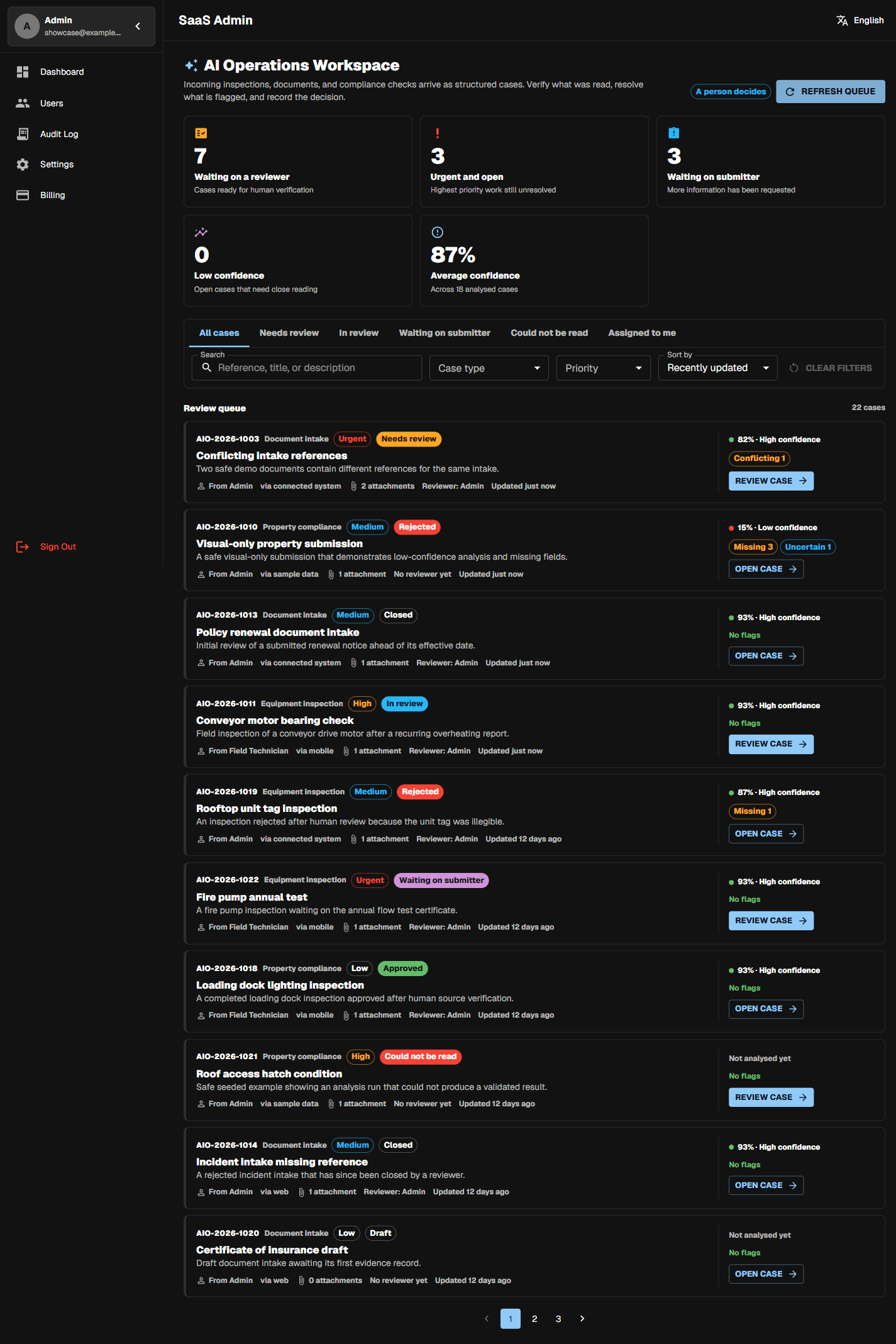
The queue in dark mode
The same review queue in dark mode, with surfaces, chips, and confidence meters that stay fully legible.
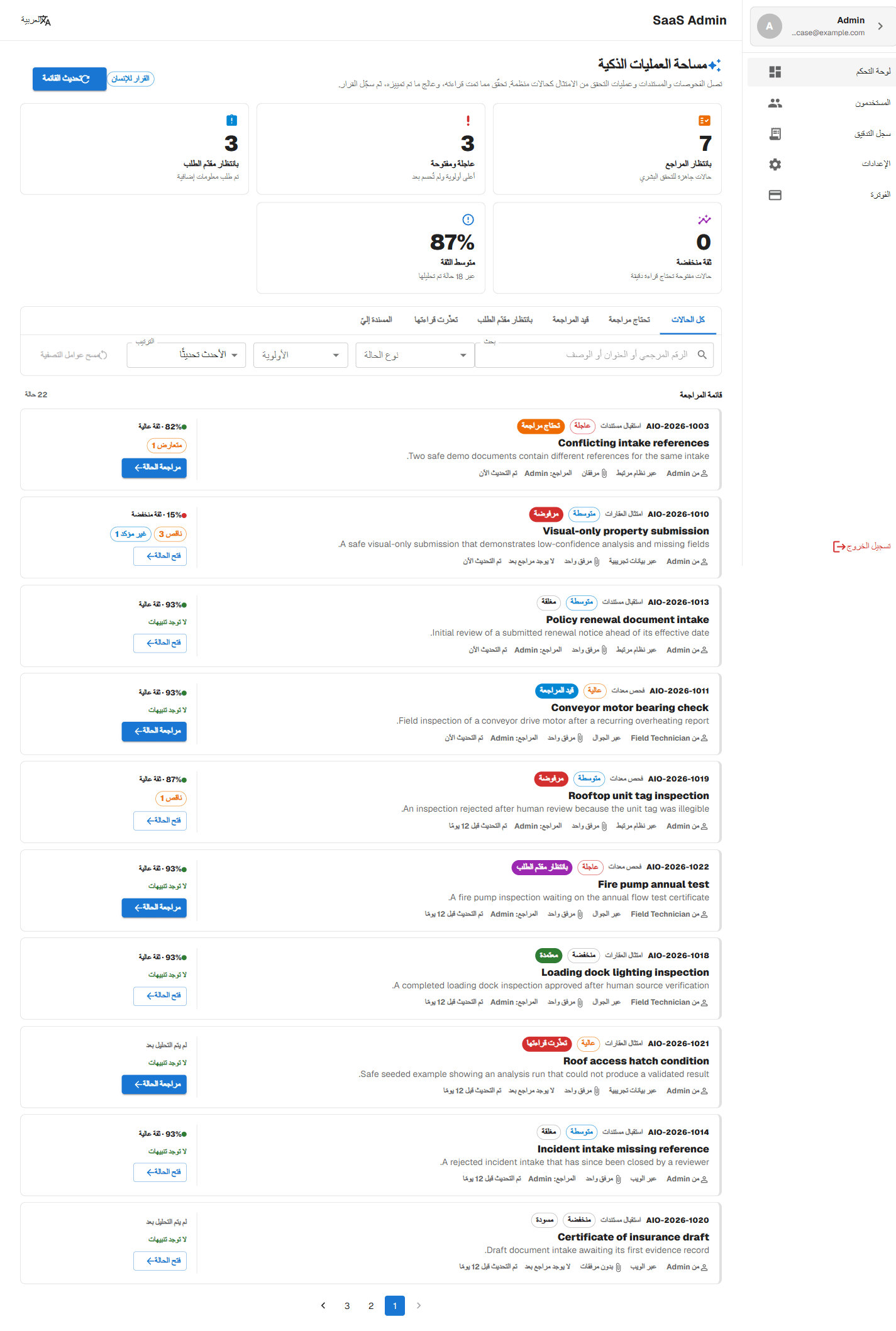
Arabic, right to left
The workspace is fully translated into Arabic and rendered dir="rtl", with the layout mirrored end to end.
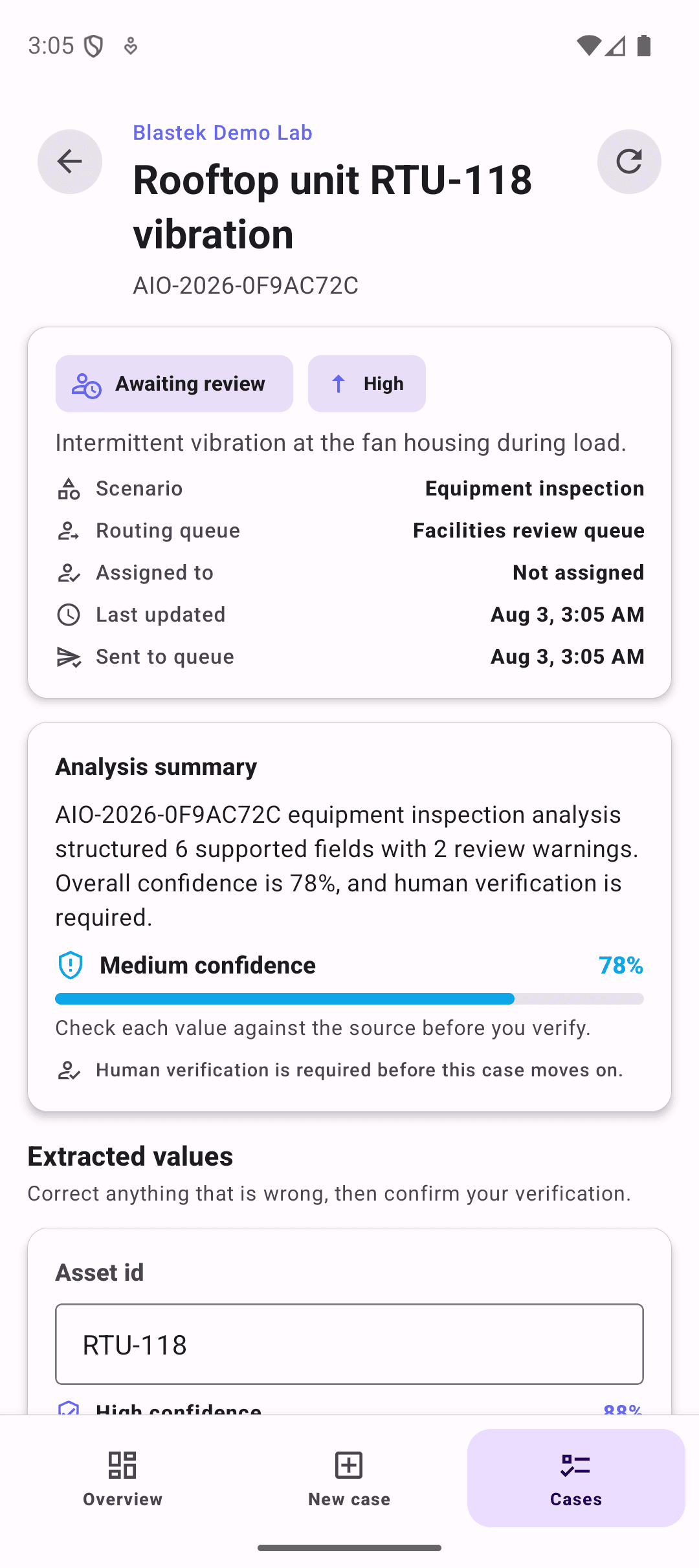
Captured in the field
The mobile app runs the same deterministic analysis and shows the same confidence and warnings.
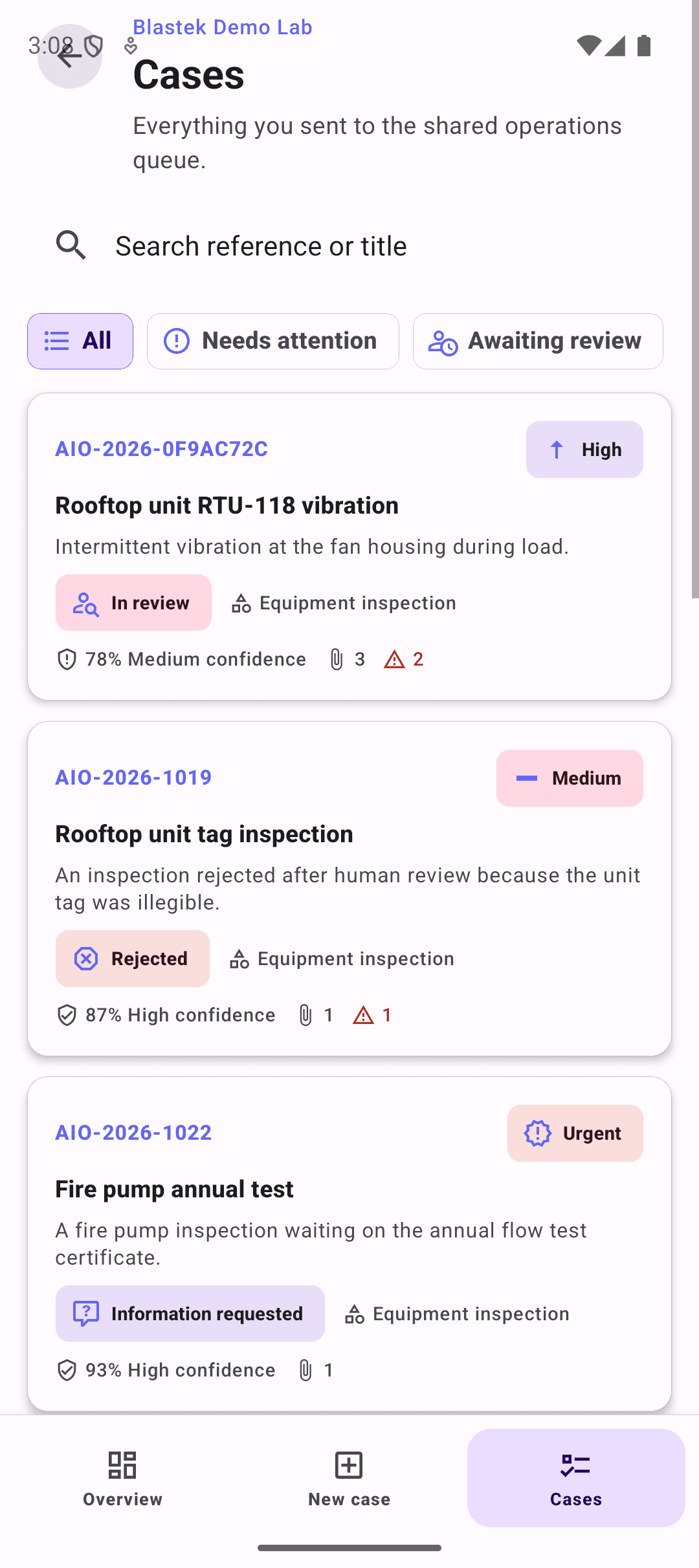
One shared queue
A case submitted from a phone lands in the same queue a reviewer works from on the web.
Built so the team can trust it
A person always decides
Approvals, rejections, and information requests are never automatic. The workspace can suggest a next step, but it cannot complete a consequential action on its own.
Every value is traceable
Each extracted value links back to the exact wording in the submitted evidence, so a reviewer can confirm it in one click instead of reopening files.
Untrusted content stays untrusted
Text inside submitted files that tries to instruct the system is treated as evidence to review, never as an instruction to follow, and it is shown to the reviewer.
Reviewers can correct anything
Any structured value can be overwritten by a person, with an optional note, and the corrected version becomes the record the decision is based on. Each correction is saved field by field, so two people working on the same case never overwrite each other's work.
What the demo actually does today
So there is no ambiguity about what you are looking at.
A deterministic rules engine, not a live model
This demo runs a built-in rules engine (rules-v1) inside the server. No Anthropic, OpenAI, or other AI provider is connected, so the same submission always produces the same structured result and nothing leaves the demo environment.
It reads text, not pictures
Images and PDFs you pick are recorded as attachments with their name, type, and size. Their contents are not uploaded, scanned with OCR, visually inspected, or parsed. Values are extracted from the written notes and the sample text supplied with a case.
Voice-style notes are sample text
The "voice note" option on mobile inserts a clearly labelled sample transcript. Nothing is recorded from the microphone and no audio is transcribed.
The review workflow is real
Cases, evidence records, analysis runs, human corrections, and the decision history are stored in the database and shared between the web workspace and the mobile app. A correction made on one device is visible on the other.
Where it fits
Inspection and field operations
Equipment inspections arrive from the field with photos and notes. The workspace structures the asset, the outcome, and the observed issue for a reviewer to confirm.
Document and claim intake
Incoming paperwork is read for reference numbers, dates, amounts, and named parties, and anything that disagrees between documents is flagged.
Property and compliance review
Compliance checks are turned into a consistent record with the area, the finding, and the remediation target, ready for a compliance decision.
Web workspace and mobile field assistant
This page shows the web review workspace. The Blastek mobile app now includes an AI Field Assistant that captures a case on site and submits it straight into this queue. Both run on the same case model and the same shared contracts, so a case submitted or corrected on one appears on the other. Reviewer decisions still belong to the web workspace.
English and Arabic, light and dark
The review workspace is fully translated and reads correctly right-to-left, so the same product works for teams in both languages.
Try the review queue yourself
Sign in to the demo workspace, open a case, verify the extracted values against the evidence, and record a decision.
Open the live demo